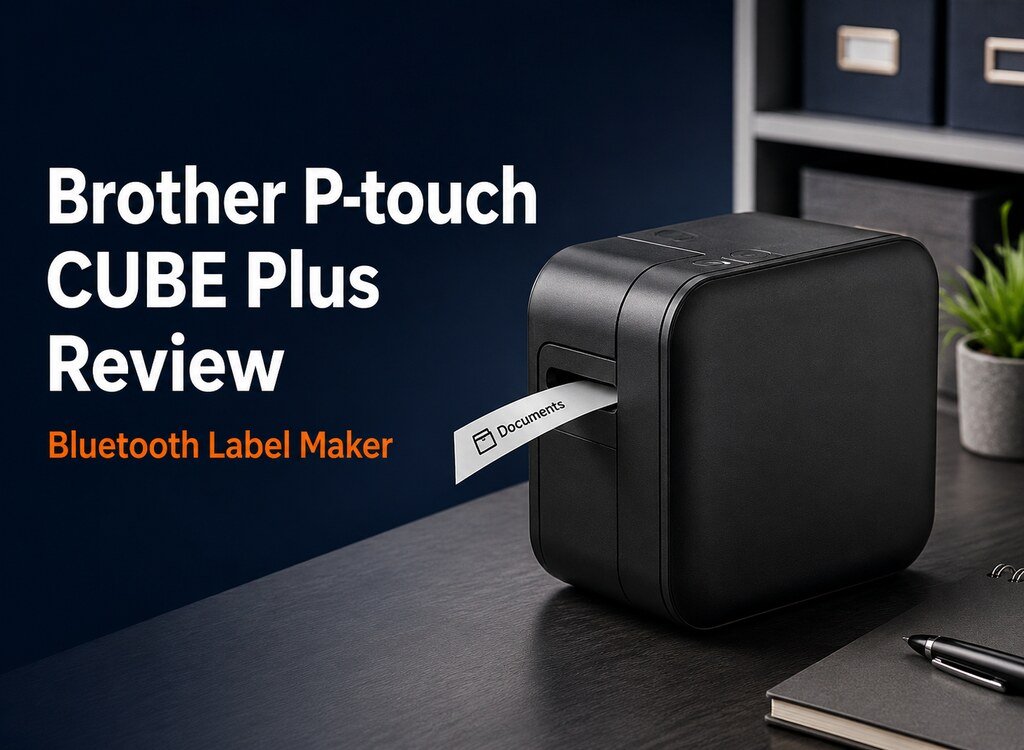
The Brother P-touch CUBE Plus PT-P710BT is a compact label maker built for people who want professional-looking organization without typing on a tiny built-in keyboard. It connects to phones, tablets, Windows computers, and Macs, allowing users to create custom labels for pantry containers, cables, files, craft supplies, storage bins, products, and office equipment.
In this Brother P-touch CUBE Plus Review, we examine its printing quality, Bluetooth workflow, software options, tape compatibility, portability, running costs, and practical limitations. The goal is to help you decide whether its flexible design is worth the premium over a basic handheld label maker.
Editorial note: We have not personally tested this label maker. This review is based on official Brother specifications, the Amazon listing, published product information, and independent reporting. Software, compatibility, availability, and prices can change over time.
Quick Verdict
Best for: home organizers, small businesses, craft sellers, teachers, and office users who want to design labels on a phone or computer and print on laminated tapes up to 24mm wide.
The PT-P710BT is a strong choice when design flexibility and wireless convenience matter more than having a built-in keyboard. Bluetooth, USB connectivity, an automatic cutter, a rechargeable battery, and Brother’s wide TZe tape selection make it versatile. Its drawbacks include 180 dpi resolution, dependence on apps or desktop software, the continuing cost of tape cartridges, and a learning curve for more advanced layouts.
As an Amazon Associate, Kacaan Store earns from qualifying purchases, at no additional cost to you.
Table of Contents
Brother P-touch CUBE Plus Review: Overview and Key Features
The CUBE Plus is different from traditional handheld label makers because the printer itself has no typing keyboard or large editing screen. Instead, the connected device becomes the control center. Users can design labels with a mobile app or Brother’s desktop software, preview the layout, and send the finished design to the printer.
Brother supports labels up to 24mm, approximately one inch, wide. That size is useful for large pantry labels, storage boxes, office files, retail packaging, barcodes, and equipment identification. Narrower TZe tapes are also available, allowing the same printer to handle small cable labels and compact drawer organization.
The built-in lithium-ion battery makes the printer portable around a home, classroom, shop, or office. An automatic cutter produces a clean full cut after printing, which is more convenient than trimming every label manually. Bluetooth supports mobile printing, while USB provides a wired option for computers and charging.
Key Specifications
| Product | Brother P-touch CUBE Plus Bluetooth Label Maker |
| Model | PT-P710BT |
| ASIN | B07HB8LNSY |
| Maximum tape width | 24mm, approximately 1 inch |
| Compatible tape family | Brother TZe, 3.5mm to 24mm |
| Print resolution | 180 dpi |
| Maximum print lines | 4 |
| Connectivity | Bluetooth and USB 2.0 |
| Power | Built-in rechargeable lithium-ion battery |
| Dimensions | Approximately 128 × 67 × 128mm |
| Weight | Approximately 640g with battery |
| Cutter | Automatic full cutter |
Compact Design and Portability
The square black body has a restrained appearance that fits naturally on a desk or shelf. At roughly 5 inches wide and tall, it occupies less space than a conventional desktop printer. The 1.4-pound weight is light enough to move between rooms or carry to an event, although it is not as pocketable as a small handheld label maker.
Because the battery is built in, labels can be printed away from a wall outlet after charging. This is useful when organizing a garage, classroom, stockroom, or several closets. The printer still needs a phone, tablet, or computer nearby, so portability depends on having a compatible device and installed software.
Home organization projects often work best when labels are combined with shelves, bins, and drawer dividers. Our Amazon Basics 5-Shelf Storage Unit review covers a larger storage option that can be paired with labeled containers.
Bluetooth Setup and Software Experience
Mobile users can create labels through Brother applications, while desktop users can work with P-touch Editor over USB. The available tools include templates, fonts, frames, symbols, and layout controls. Smartphone features such as voice-to-text and spell checking can make basic labels faster to prepare.
The software-based approach gives users more creative freedom than a small keyboard and monochrome screen. It is easier to preview spacing, combine text with symbols, and build consistent sets of labels. Small businesses can also create product, price, shipping, or inventory labels, although buyers should confirm that the required barcode formats and label sizes match their workflow.
The tradeoff is that printing is not completely standalone. A dead phone, connection problem, software update, or unsupported operating system can interrupt the process. Some users may also find the app less immediate than typing a short word on a handheld machine. Setup is usually manageable, but occasional users should expect to spend a little time learning where templates and editing controls are located.
Print Quality and Label Performance
The PT-P710BT prints at 180 dpi. That resolution is adequate for common text labels, simple icons, basic barcodes, and organizational use. Large, bold lettering should remain easy to read from a normal viewing distance. The thermal printing process also means there are no ink cartridges to replace.
Independent evaluation has identified resolution as a limitation. Fine graphics, very small text, curved letters, and detailed logos may look less smooth when inspected closely. Buyers who need especially crisp branding, photographic detail, or professional asset labels may prefer a higher-resolution Brother model.
The laminated TZe tape family is one of the printer’s strengths. It comes in multiple widths, colors, finishes, and adhesive types. Options include standard laminated, strong adhesive, flexible identification, fabric, matte, clear, and decorative tapes. This variety lets households use one machine for pantry jars, cables, school supplies, storage bins, gifts, and office files.
Tape Compatibility and Running Costs
The printer uses Brother TZe cartridges from 3.5mm through 24mm. The included starter tapes are useful for beginning a project, but they are shorter than many full retail cartridges. Regular users should include replacement tape in the long-term budget.
Tape cost depends on width, finish, color, adhesive type, and whether the cartridge is Brother-branded or compatible. Wider labels also consume more material, and some label makers leave margins around each print. Planning several labels in one session can reduce unnecessary waste compared with printing many very short labels separately.
Before purchasing extra cartridges, check the exact TZe code and width. A tape that fits physically may still have a color, finish, or adhesive that is unsuitable for the intended surface. Labels applied to textured, damp, curved, hot, or frequently handled items may require a specialized tape.
Home Organization and Everyday Uses
The CUBE Plus can support a wide range of home projects. Pantry containers can be labeled with ingredients and dates, cables can be identified at both ends, children’s supplies can be sorted by activity, and storage boxes can be marked without opening every lid. Labels can also make household systems easier for other family members to follow.
For cabinets and under-sink areas, the printer pairs well with pull-out organizers. See our Simple Houseware 2 Tier Sliding Cabinet Organizer review for an example of storage that benefits from clear category labels.
Drawer organization is another natural use case. Small compartments for office supplies, cosmetics, craft materials, or hardware are easier to maintain when each section has a clear purpose. Our WOWBOX 25 PCS Drawer Organizer review covers a modular system for creating those sections.
Small Business, Craft, and Office Use
Small businesses may use the printer for product names, shelf organization, bins, cables, sample packaging, folders, appointment supplies, and inventory locations. Craft sellers can create decorative labels with different tape colors and fonts. Teachers can organize classroom drawers, student materials, equipment, and shared supplies.
The automatic cutter helps when printing many labels, and the rechargeable battery supports temporary workstations. However, this is not an industrial shipping-label printer. Its one-inch maximum width is too narrow for standard 4 × 6 shipping labels, and 180 dpi is modest for highly detailed retail branding.
Businesses should also calculate tape consumption. A machine that is affordable for occasional home use may create higher recurring costs when hundreds of labels are printed each month. For high-volume work, a dedicated thermal printer with larger rolls may be more economical.
Brother P-touch CUBE Plus Review: Pros and Cons
Advantages
- Bluetooth printing from phones and tablets
- USB support for Windows and Mac computers
- Accepts TZe tapes up to 24mm wide
- Wide selection of tape colors and materials
- Built-in rechargeable battery
- Automatic cutter creates clean full cuts
- No ink cartridges required
- Compact design for desks and shelves
- More layout flexibility than basic handheld models
Limitations
- No built-in keyboard for standalone use
- 180 dpi resolution is modest for fine graphics
- Requires an app or desktop software
- Replacement TZe tapes add ongoing cost
- Software may take time to learn
- Bluetooth reconnection can occasionally be inconvenient
- Not intended for standard shipping labels
- Starter tapes are shorter than many full cartridges
Who Should Buy the Brother PT-P710BT?
This label maker makes the most sense for:
- People organizing multiple rooms, closets, drawers, or storage systems
- Users who prefer designing labels on a phone or computer
- Small businesses needing flexible one-inch labels
- Craft sellers who want decorative tape options
- Teachers and office workers managing shared supplies
- Buyers who value portability and automatic cutting
Consider a different model if you want instant standalone typing, need very sharp small graphics, print high volumes, or require wide shipping labels. A basic handheld label maker may be faster for occasional single-word labels, while a higher-resolution desktop printer may suit professional branding better.
Frequently Asked Questions
Does the Brother P-touch CUBE Plus work without a phone?
It has no built-in typing keyboard. You can print from a compatible Windows or Mac computer through Brother software and USB, so a phone is not required, but an external device is.
What tape sizes does the PT-P710BT support?
Brother lists compatible TZe tape widths from 3.5mm through 24mm. Always confirm the specific tape code, width, color, and adhesive before ordering.
Does it need ink?
No. It uses thermal printing with TZe tape cartridges, so there are no separate ink or toner cartridges. Replacement label tape is the main consumable.
Can it print shipping labels?
It can print narrow address or identification labels up to 24mm wide, but it cannot produce standard 4 × 6 shipping labels. High-volume shipping requires a different type of thermal printer.
Is 180 dpi good enough?
It is generally sufficient for readable text, simple symbols, and everyday organization. Fine graphics, tiny lettering, or detailed logos may show less definition than output from a higher-resolution printer.
What comes in the box?
The Amazon listing includes the label maker, a built-in lithium-ion battery, a USB cable, one 24mm black-on-white starter tape, and one 24mm black-on-premium-glitter-gold starter tape. Package contents can change, so verify the current listing before purchase.
Final Verdict: Is It Worth Buying?
Yes, the Brother P-touch CUBE Plus PT-P710BT is worth considering for people who want flexible label design, mobile convenience, and a broad selection of laminated tapes. Its compact body, rechargeable battery, Bluetooth connection, USB option, and automatic cutter make it useful across home, school, office, craft, and small-business settings.
The machine is less attractive for users who want a completely standalone keyboard or need extremely sharp graphics. Tape costs also deserve attention. For organized households and light business use, however, the ability to create consistent custom labels from familiar devices can justify the higher price.
Check Today’s Amazon Offer
View the latest price, availability, delivery details, and customer feedback for the Brother P-touch CUBE Plus PT-P710BT.
For current software, manuals, compatibility, safety guidance, and troubleshooting, visit the official Brother PT-P710BT support page.